
Choosing the right IPTV player Samsung Smart TV application determines how easily you navigate channels, manage favorites, and enjoy your subscription content. Samsung televisions run the Tizen operating system, which has a more limited app ecosystem compared to Android TV, making player selection particularly important for USA households seeking reliable IPTV streaming on their premium displays.
Understanding IPTV Players vs IPTV Services
An IPTV player Samsung Smart TV app serves as the interface between your television and your IPTV subscription. The player displays channels, program guides, and on-demand content, but it does not provide the actual channels—you still need a separate subscription from a licensed provider. Think of the player as the video app and the IPTV service as the content library.
Before selecting a player, verify that your chosen provider supports it and provides the necessary login credentials, playlist URLs, or portal information. The USA IPTV service comparison guide providers clearly document which players they support and offer setup guides for Samsung Tizen TVs.
Key Features to Compare in Samsung TV IPTV Players
Electronic Program Guide (EPG)
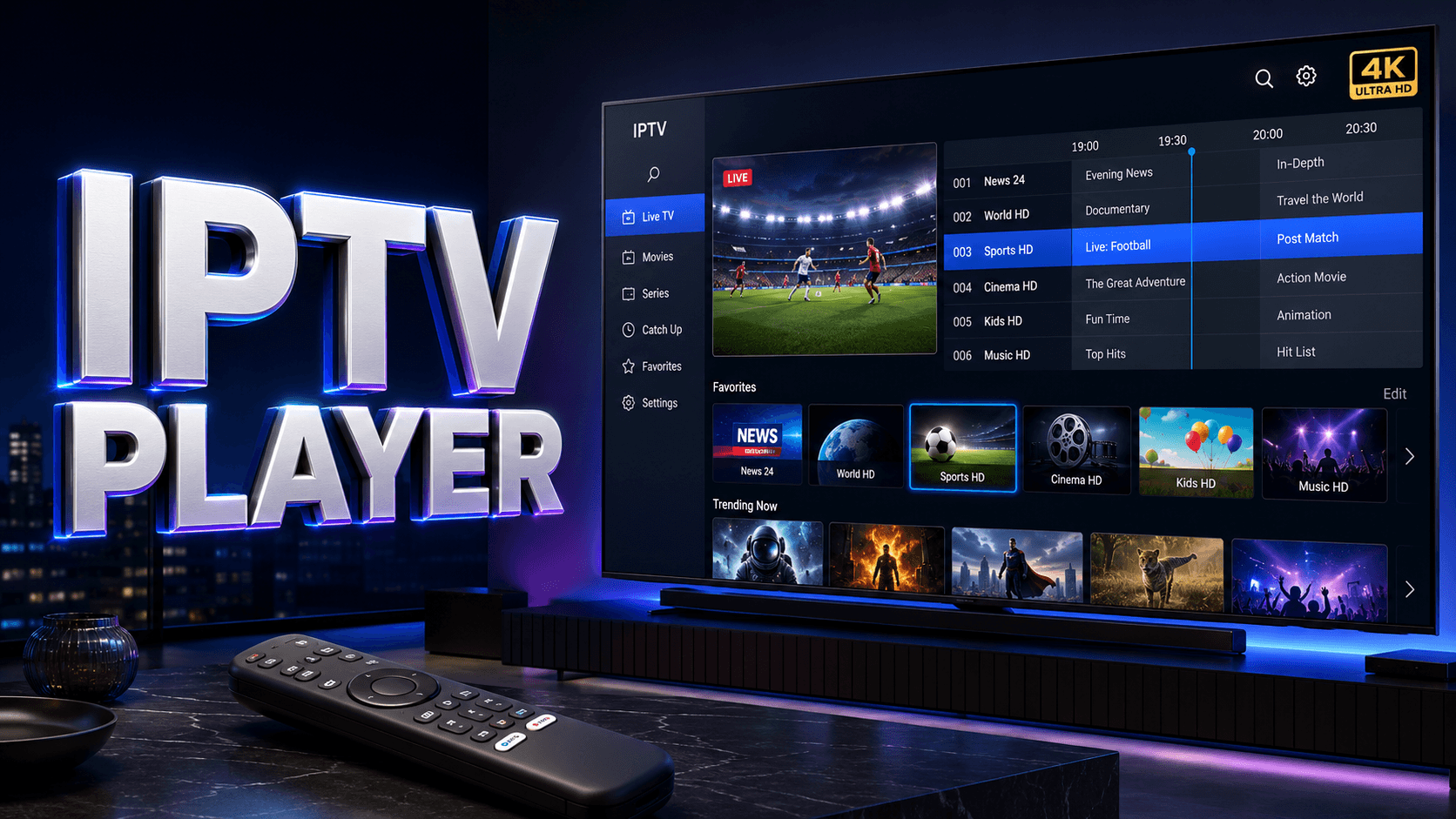
A quality IPTV player Samsung Smart TV must display an organized, accurate program guide showing current and upcoming shows. Look for apps with multi-day EPG coverage, genre filtering, and search functionality.
User Interface and Navigation
Samsung remote-friendly interfaces matter for daily use. The best players offer intuitive channel browsing, quick access to favorites, and responsive button mapping.
Video Quality and Format Support
Your IPTV player Samsung Smart TV should support H.264, H.265/HEVC for efficient 4K streaming, and adaptive bitrate switching.
Additional Capabilities
- Catch-up TV: Replay past programs if your provider offers this feature
- Parental Controls: Password-protect certain channels or content ratings
- Multi-language Support: Subtitle and audio track selection for international content
- Favorites Management: Create custom channel lists for different household members
- Recording: Some advanced players support cloud or network storage recording
Popular Samsung IPTV Player Options to Compare
Common player names you may encounter include IBO Player, SmartOne IPTV, Smart IPTV, and IPTV Smarters Player. Availability can change by Samsung model year, Tizen version, and App Store region, so confirm the exact app on your television before paying an activation fee.
| Player type | Typical login | Best for | Check before installing |
|---|---|---|---|
| IBO Player / SmartOne IPTV | M3U or portal details | Simple TV-first navigation | Model support and activation terms |
| IPTV Smarters Player | Xtream Codes or M3U | Users who want several login methods | Regional Tizen availability |
| Smart IPTV | M3U playlist | Basic playlist playback | Whether it appears for your TV year and region |
Samsung Smart TV Compatibility Considerations
Not all IPTV players work on every Samsung TV model. Tizen app availability varies by television manufacture year, firmware version, and regional market. Check your TV’s model year (found in Settings > Support > About This TV) and verify the player app specifically lists support for your Tizen version.
Older Samsung Smart TVs (2015-2016 models) have very limited Tizen app availability and may require alternative solutions like external streaming devices. Test your internet connection using Speedtest.net to ensure your network can support the quality you expect from your IPTV player Samsung Smart TV setup.
Find Compatible IPTV Services
Discover providers that support Samsung Smart TV players with easy setup, HD/4K quality, and comprehensive channel lineups.
Setting Up Your IPTV Player on Samsung TV
- Access Samsung App Store: Press the Home button and navigate to Apps
- Search for Player: Use the search function to find your desired IPTV player app
- Install Application: Download and install the app, ensuring it’s the official version
- Launch Player: Open the app and select your preferred login method
- Enter Provider Details: Input credentials, portal URL, or playlist link exactly as provided
- Allow Guide Sync: Wait several minutes for channel lists and EPG data to populate
- Configure Preferences: Set parental controls, favorites, video quality, and other options
- Test Playback: Try multiple channels to verify proper functionality
Optimizing Performance
For the best IPTV player Samsung Smart TV experience, use wired Ethernet instead of Wi-Fi when possible. Keep your TV firmware updated through Settings > Support > Software Update. Restart your TV weekly to clear memory.
Related USA IPTV Guides
If your service supplies a playlist URL, see the M3U playlist setup guide. You can also compare options in our USA IPTV buying guide.
FAQ
Do IPTV players include channels on Samsung TV?
No, IPTV player apps are interfaces that require a separate subscription from a licensed content provider. The player displays your provider’s channels but does not supply content itself. Always use authorized IPTV services with proper USA distribution rights.
Why can’t I find certain IPTV players on my Samsung TV?
Samsung’s Tizen app store has limited third-party app availability compared to Android TV or Fire TV. App availability depends on your TV’s model year, firmware version, and geographic region. Older Samsung TVs may require an external streaming device for broader player compatibility.
Which IPTV player works best on Samsung Smart TV?
The best player is the one officially supported by your IPTV provider, compatible with your specific Samsung TV model year, and offering the features you need most (EPG quality, interface design, catch-up TV, etc.). Check your provider’s documentation for recommended players.
Can I use multiple IPTV players on the same Samsung TV?
Yes, you can install multiple players, which is useful if you have subscriptions from different providers or want to test various interfaces. Each player operates independently with its own settings and login information. Storage space is the only limitation.
Ready for the Best IPTV Subscription?
Join thousands of satisfied customers with the best and fastest family subscription in the USA, UK, Canada & Australia.