
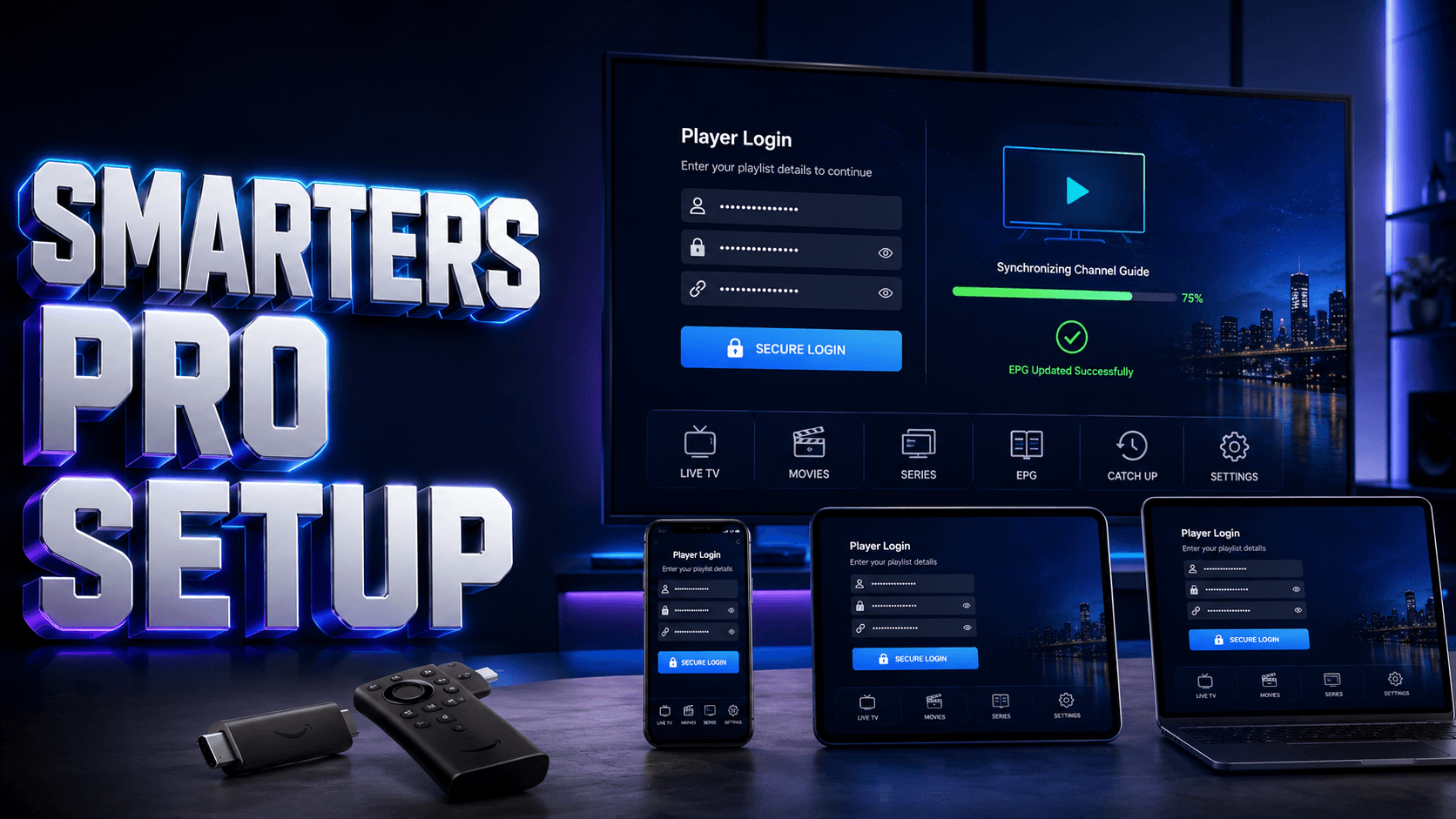
Learning to setup IPTV Smarters Pro USA correctly enables access to your subscription content through one of the most popular IPTV player applications available for Android, iOS, Fire TV, and smart TV platforms. IPTV Smarters Pro serves as the interface displaying your provider’s channels—it does not supply content itself, so you must have an active subscription from a licensed IPTV service before beginning this setup process.
Understanding IPTV Smarters Pro
Before you setup IPTV Smarters Pro USA, understand that this is a player application, not a content provider. The app displays channels, electronic program guides, and on-demand content from your separate IPTV subscription. Your provider must explicitly support IPTV Smarters Pro and supply compatible login credentials, playlist URLs, or Xtream Codes API information.
The USA IPTV service comparison guide providers clearly document which players they support and provide detailed setup instructions for each platform. Verify your provider’s compatibility with IPTV Smarters Pro before purchasing subscriptions or downloading the app.
Pre-Installation Requirements
To successfully setup IPTV Smarters Pro USA, gather these essential items:
- Compatible Device: Android 4.4+, iOS 12+, Fire TV Stick, Android TV box, or Samsung/LG smart TV
- Active IPTV Subscription: From a licensed provider supporting Smarters Pro
- Login Information: Username, password, and server URL provided by your IPTV service
- Internet Connection: Minimum 10 Mbps for HD, 25+ Mbps for 4K (test at Speedtest.net)
Step-by-Step IPTV Smarters Pro Setup in the USA
For Android and Fire TV Devices
- Download Official App: Open Google Play Store or Amazon Appstore and search “IPTV Smarters Pro”
- Install Application: Tap Install and wait for download completion
- Launch App: Open IPTV Smarters Pro from your device
- Choose Login Method: Select Xtream Codes API (most common)
- Enter Credentials: Input username, password, and server URL exactly as provided
- Complete Setup: Wait for channel list to fully synchronize
Find Smarters Pro-Compatible IPTV
Compare USA IPTV providers with official IPTV Smarters Pro support, easy configuration, and reliable streaming.
Understanding Login Methods
Xtream Codes API (Most Common)
When you setup IPTV Smarters Pro USA using Xtream Codes API, you’ll need three pieces of information from your provider: server URL (format: http://example.com:port), username, and password. This method automatically downloads channel lists, EPG data, and VOD content.
M3U Playlist URL
Some providers supply a direct M3U playlist URL containing all channel information. Select “Load Your Playlist or File/URL” and paste the complete URL. When comparing the USA IPTV service comparison guide options, verify which format they support for Smarters Pro.
Initial Configuration and Optimization
After you setup IPTV Smarters Pro USA successfully, optimize the viewing experience:
- Adjust Video Quality: Settings > Player Settings > Video Aspect Ratio and Buffer Size
- Enable EPG: Verify electronic program guide displays correctly with accurate time zones
- Create Favorites: Long-press channels to add to favorites list for quick access
- Set Parental Controls: Settings > Parental Control to password-protect certain content
Troubleshooting Common Setup Issues
Authentication Failed Error
Double-check credentials for typos, ensure subscription is active, verify correct server URL format, and confirm your provider supports the login method you selected.
Empty Channel List
Allow several minutes for initial synchronization, check internet connectivity, verify subscription includes channels, force-close and restart app.
Buffering or Playback Issues
Switch to wired Ethernet connection, reduce video quality temporarily in settings, clear app cache, or test connection speed to ensure adequate bandwidth.
Related USA IPTV Guides
On Fire TV, use the dedicated Smarters Firestick installation guide. For playlist-based access, see our M3U setup tutorial.
FAQ
Is IPTV Smarters Pro free to use in the USA?
The IPTV Smarters Pro app itself is free to download and use. However, you must purchase a separate subscription from a licensed IPTV provider to access channels and content. The app is only the player interface, not the content source.
Can I setup IPTV Smarters Pro USA on multiple devices?
Yes, install the app on multiple devices using the same login credentials. However, simultaneous streaming limits depend on your IPTV provider’s subscription plan, typically ranging from 1-5 concurrent connections.
Why won’t my provider’s credentials work in Smarters Pro?
Your provider may not support IPTV Smarters Pro, you might be using the wrong login method for your provider’s system, credentials may contain typos, subscription could be expired, or device limits may be exceeded.
Do I need VPN to setup IPTV Smarters Pro USA?
VPN is not required to setup IPTV Smarters Pro USA. Whether you need VPN for actual streaming depends on your provider’s terms and your local regulations. VPNs can reduce streaming speeds and increase buffering.
Ready for the Best IPTV Subscription?
Join thousands of satisfied customers with the best and fastest family subscription in the USA, UK, Canada & Australia.